Termbase
Introduction
- Supports uploading, editing, and deleting professional terms. During translation, the system automatically matches content against the termbase to ensure consistent and accurate terminology, improving the professionalism of the translated content.
Core Features
Supports TB creation, bulk and single deletion, import, export, editing, member permission management, and TB approval.
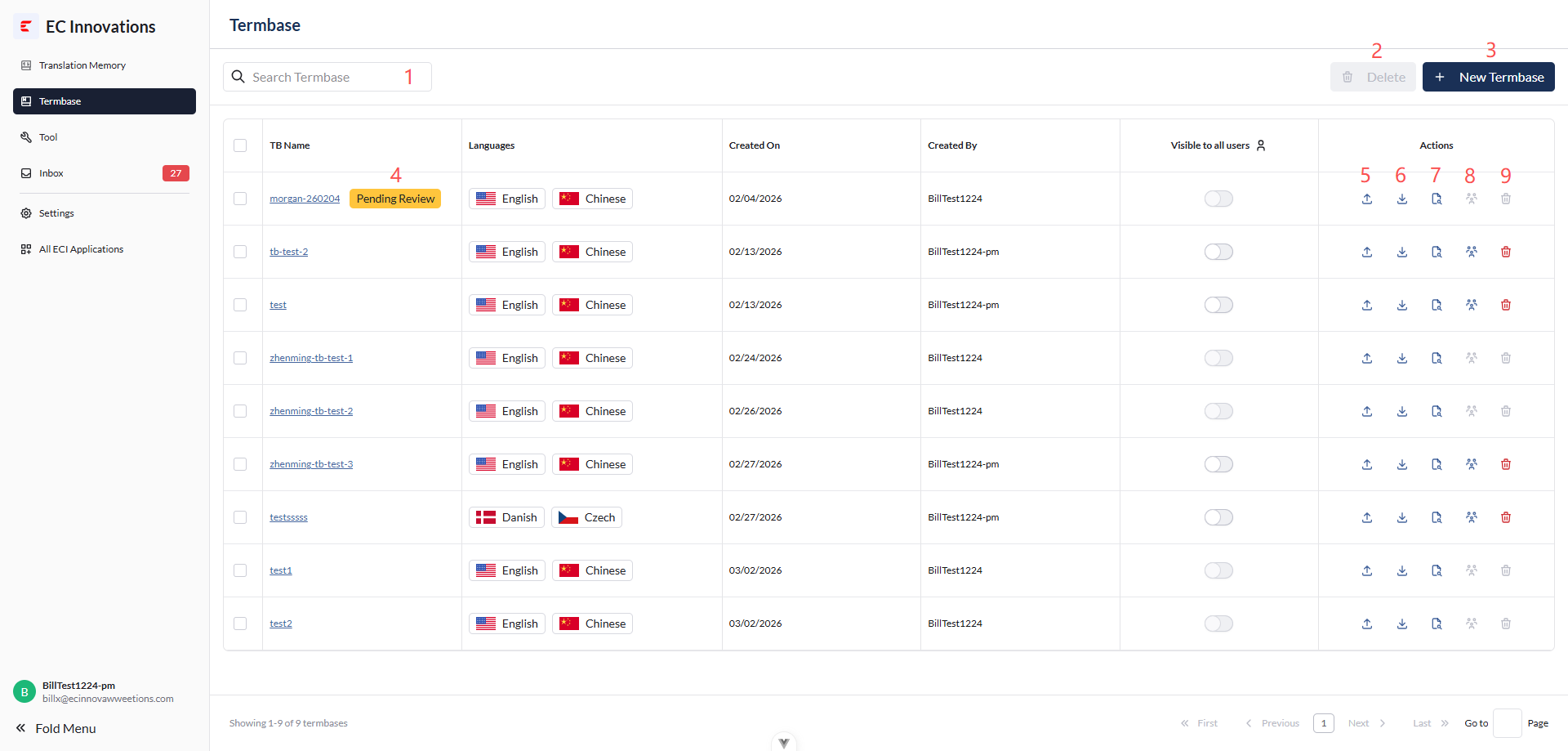
- Filter the TB list by keyword.
- Select the checkboxes on the left, then click ‘Delete’ to delete the selected TBs in bulk.
- Click ‘New Termbase’ to create a new TB.
- If there is data in the pending review list, ‘Pending Review’ will be displayed.
- Click ‘Import’ to import TB data.
- Click ‘Export’ to export data.
- Click ‘Detail’ to edit TB data.
- Click ‘Group Members’ to manage members of the corresponding TB.
- Click ‘Delete’ in the TB row to delete the corresponding TB.
Create a TB
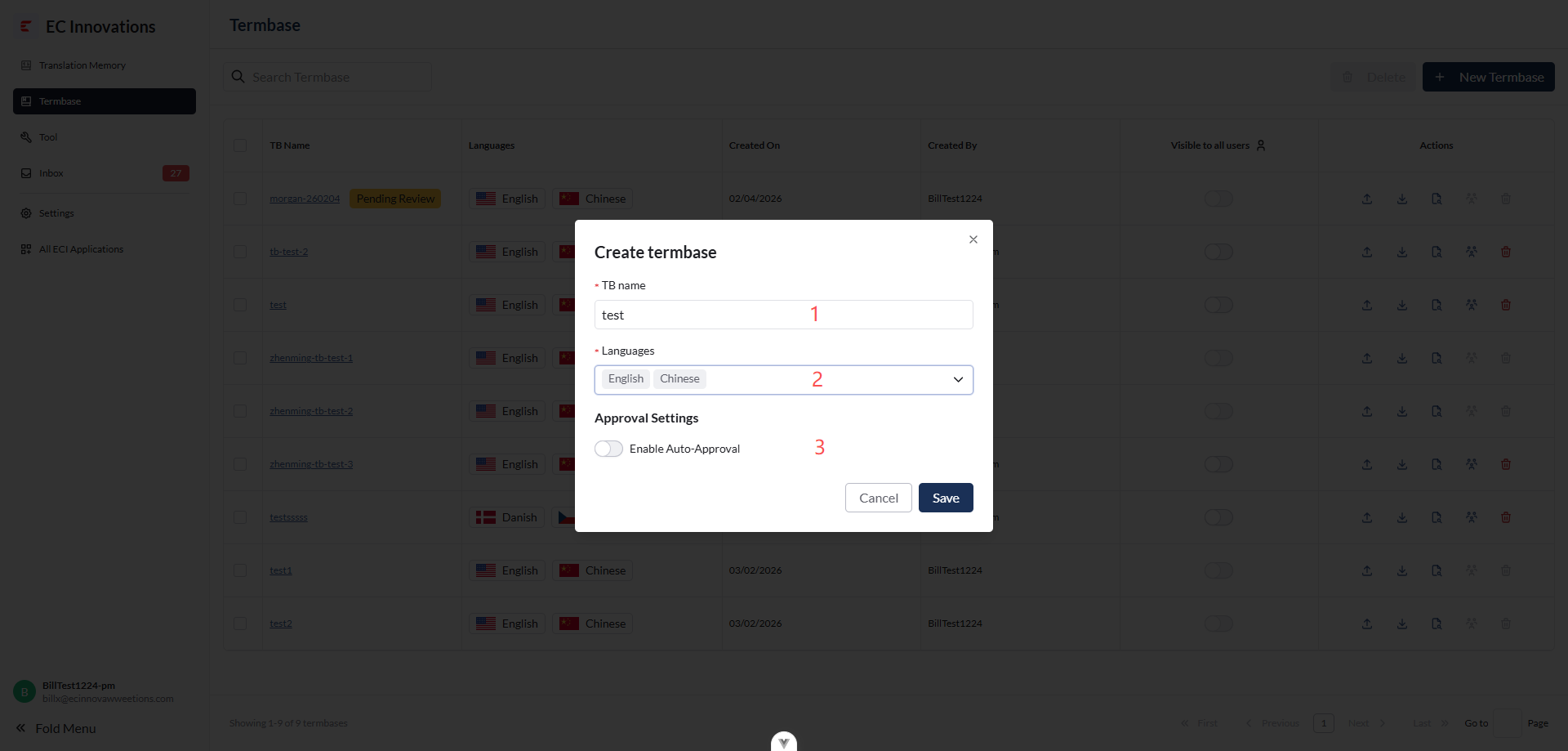
- Enter the TB name.
- Select languages. At least two languages must be selected.
- Automatic approval option: if enabled, future approval requests from editors will be approved automatically.
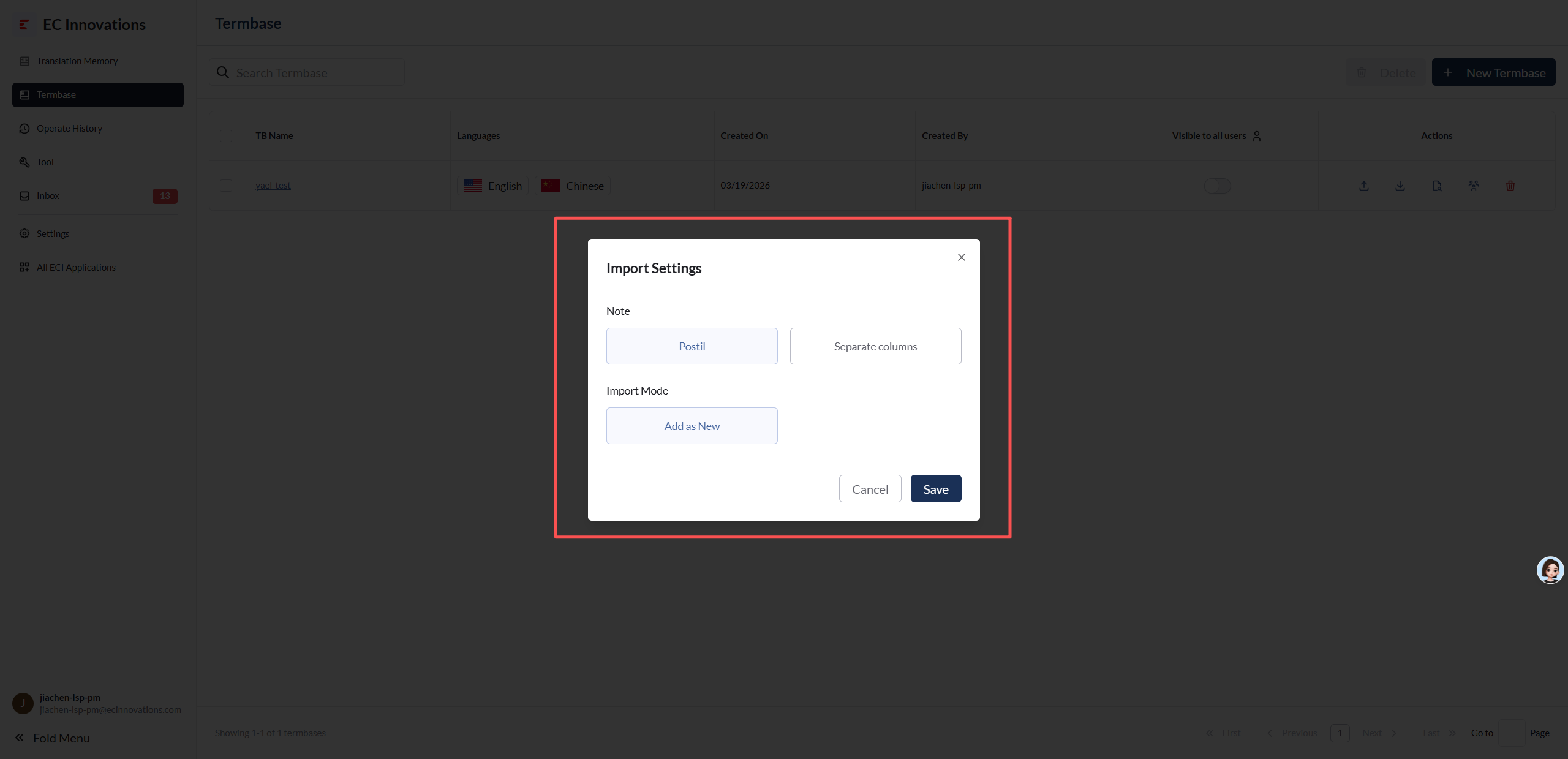
- Postil → separated by comments.
- Separate columns → separated by columns.
Delete a TB
- Same as deleting a TM.
TB Member Management
- Same as TM member management.
Role Overview
- Same as TM role overview.
TB Details
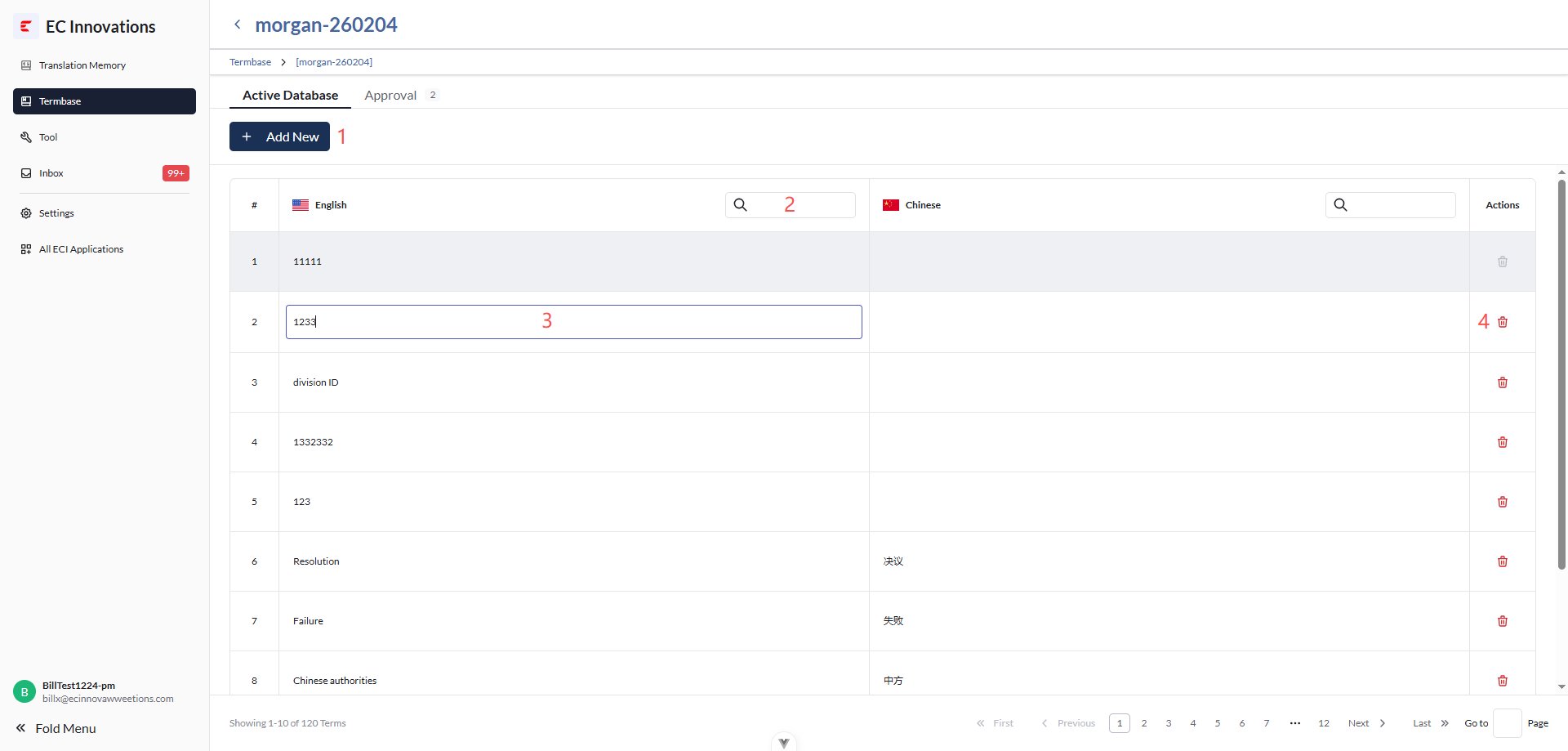
- Click ‘Add New’ to create a new TB entry.
- Filter TB data by keyword.
- Double-click a cell to make it editable. The change is saved after the input field loses focus.
- Click the delete button to remove the entry from the TB.
Segment Locking
- Same as TM segment locking.
Approval List
- Same as TM approval list.