Translation Memory Alignment Tool
Introduction
- Supports uploading a full source document and its corresponding translation. The system automatically splits and identifies the text, then generates aligned sentence pairs. After human review, the aligned content can be imported into a translation memory to enrich your language resources.
Core Features
- Users can view the TM alignment record list under the menu.
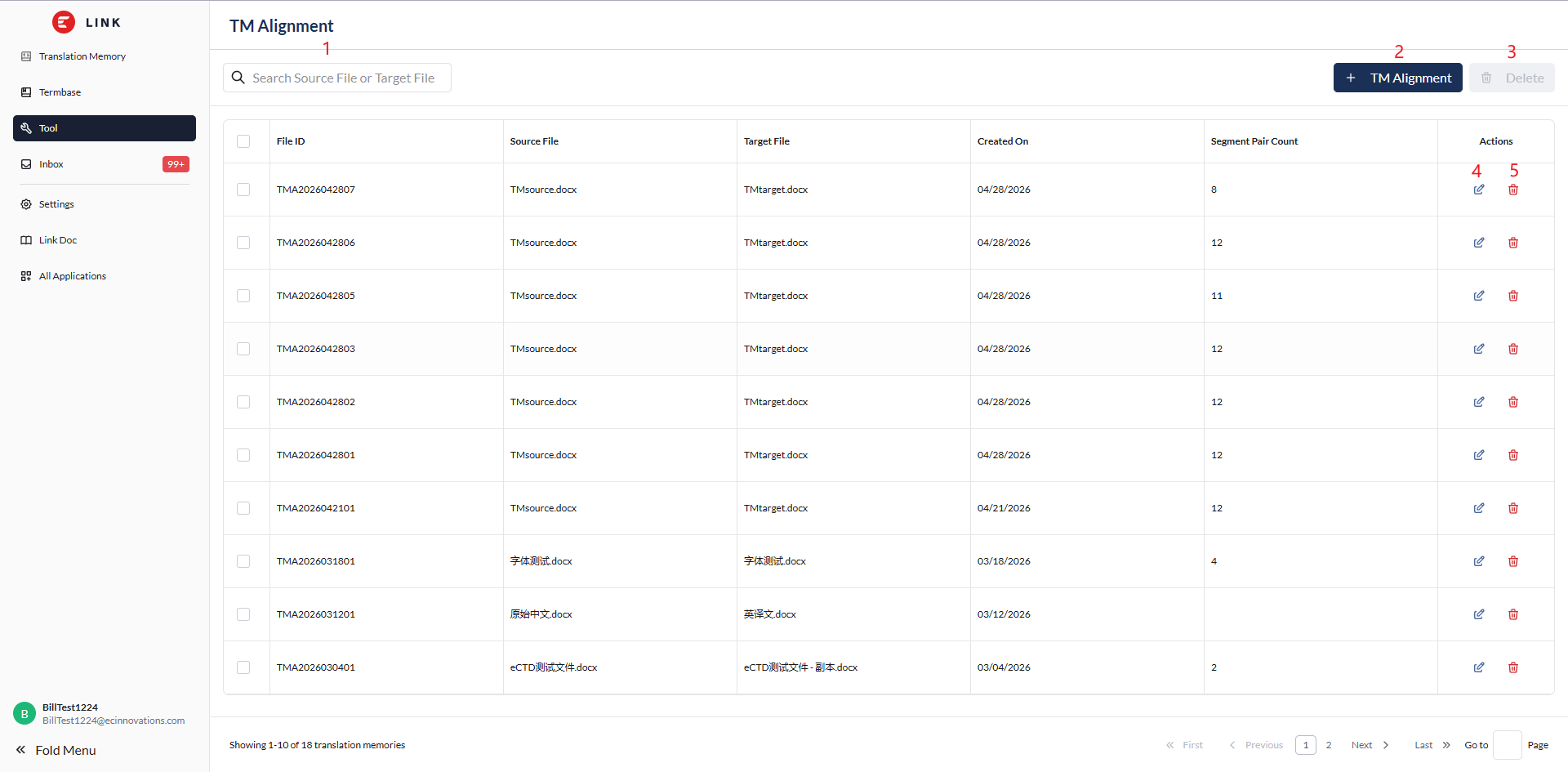
- Filter the TM alignment list by keyword.
- Click ‘+ TM Alignment’ to create a new TM alignment.
- Select the checkboxes on the left, then click ‘Delete’ to delete the selected TM alignment data in bulk.
- Click to edit a historical TM alignment record.
- Click ‘Delete’ in the TM alignment row to delete the corresponding TM alignment data.
Start TM Alignment
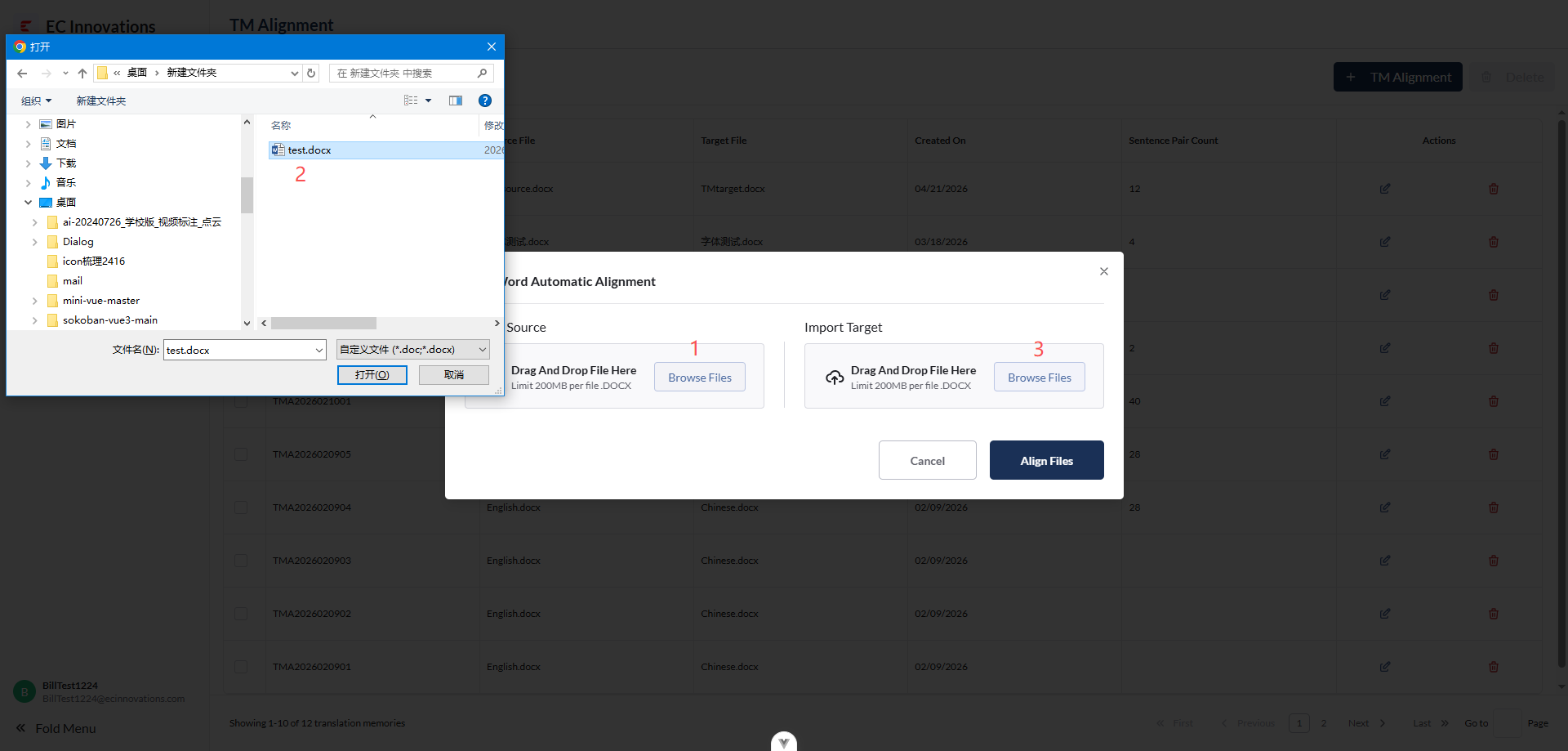
- Click ‘Browse Files’ under ‘Upload Source Text’.
- Select the file you want to upload.
- Click ‘Browse Files’ under ‘Upload Translation’.
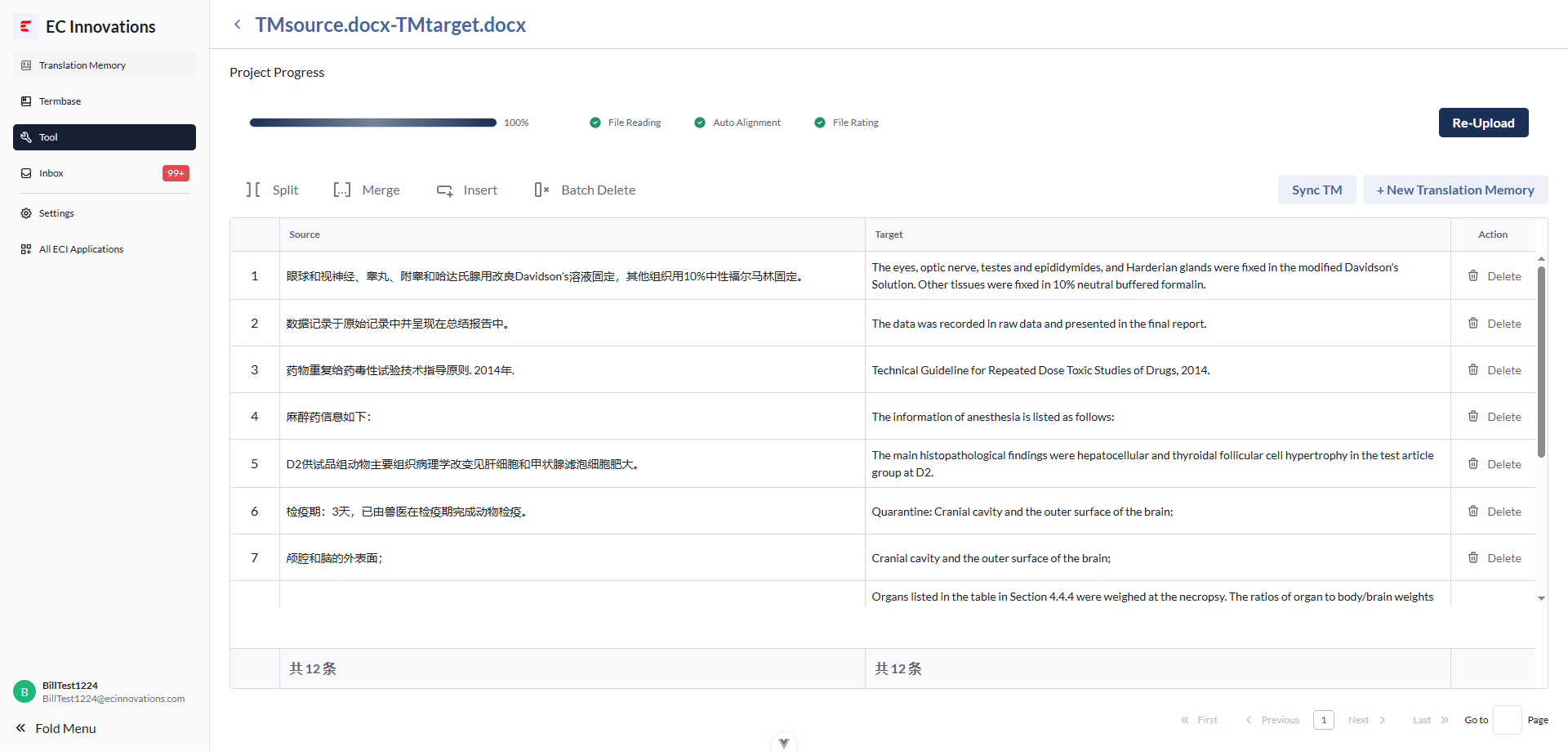
- Users can edit, add, and delete aligned segment data.