Source Update
Introduction
Source Text Update allows Requesters to upload new source files (.doc, .docx) with Word revision tracking during human translation, after project delivery, or upon completion of machine translation. The system identifies additions, modifications, deletions and structural adjustments, and displays the parsing results. After confirmation by the Requester, the PM reviews the new file and initiates the update; the system synchronizes changes to the CAT tool and notifies relevant personnel to reprocess affected segments. Unchanged content is retained to reduce repeated translation and proofreading.
Workflow
- Click Update Source in the actions menu.
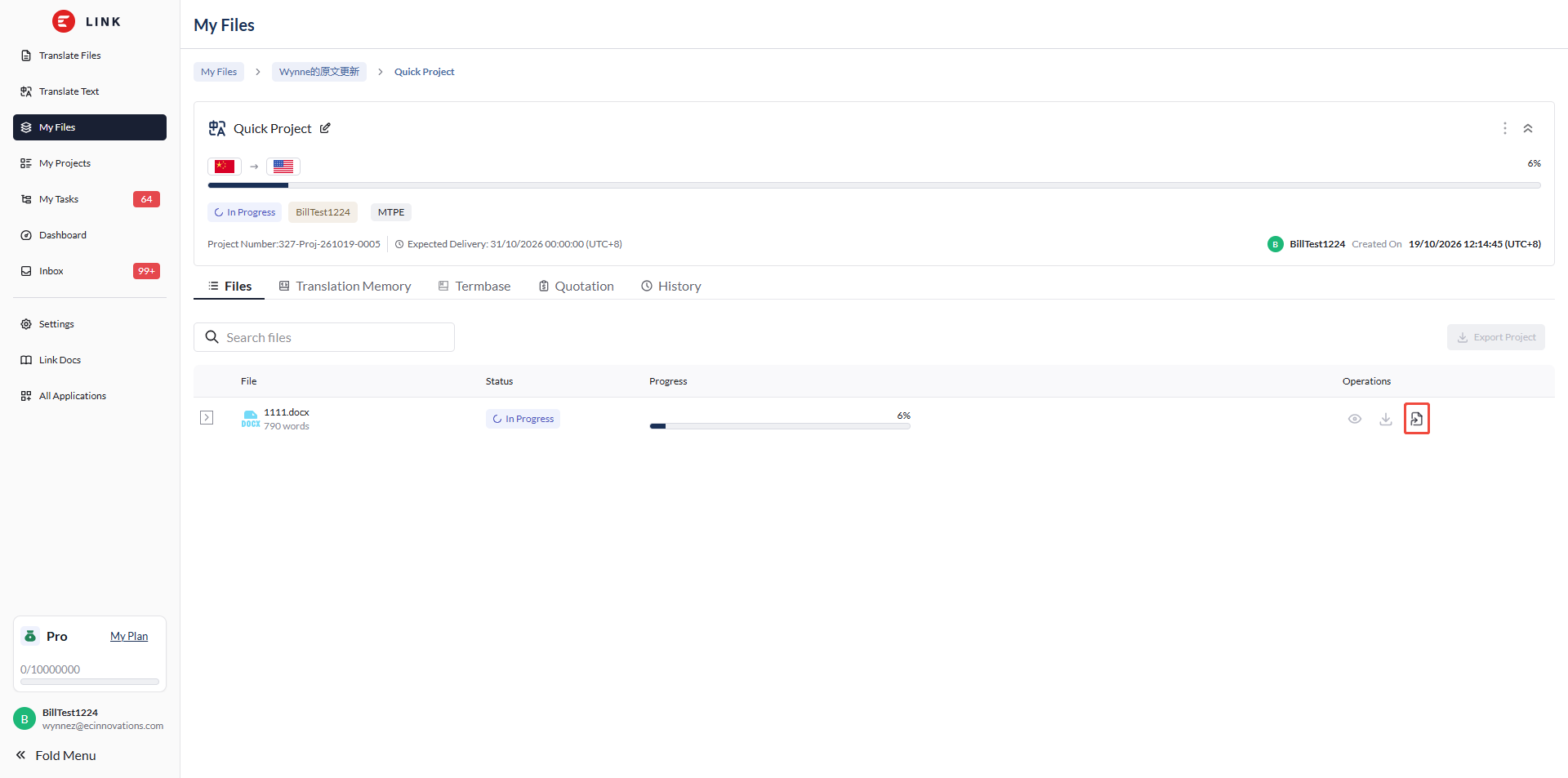
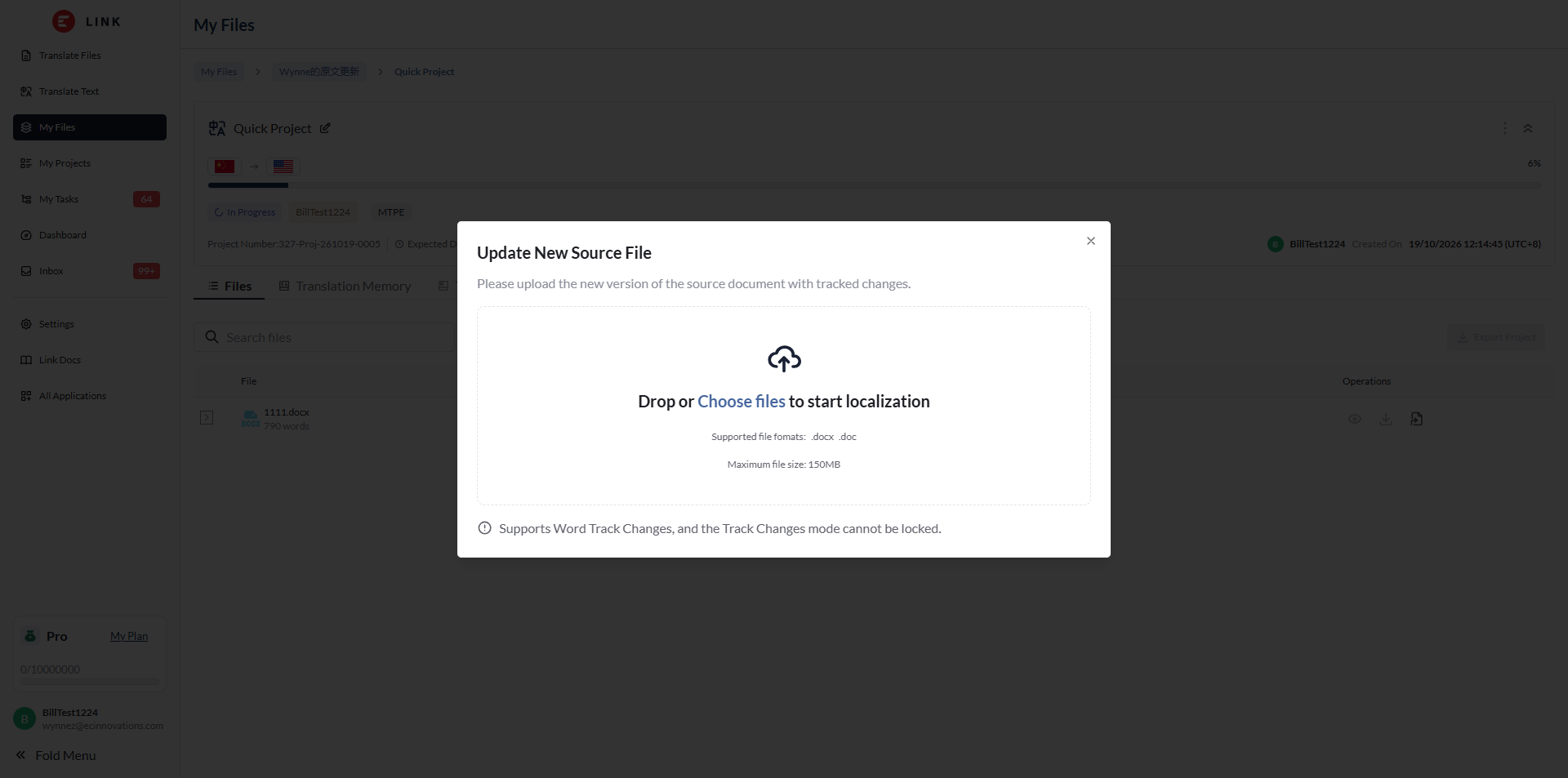
- Upload a revised source file with Word tracked changes. Supported formats are .doc and .docx, and the maximum file size is 150 MB.
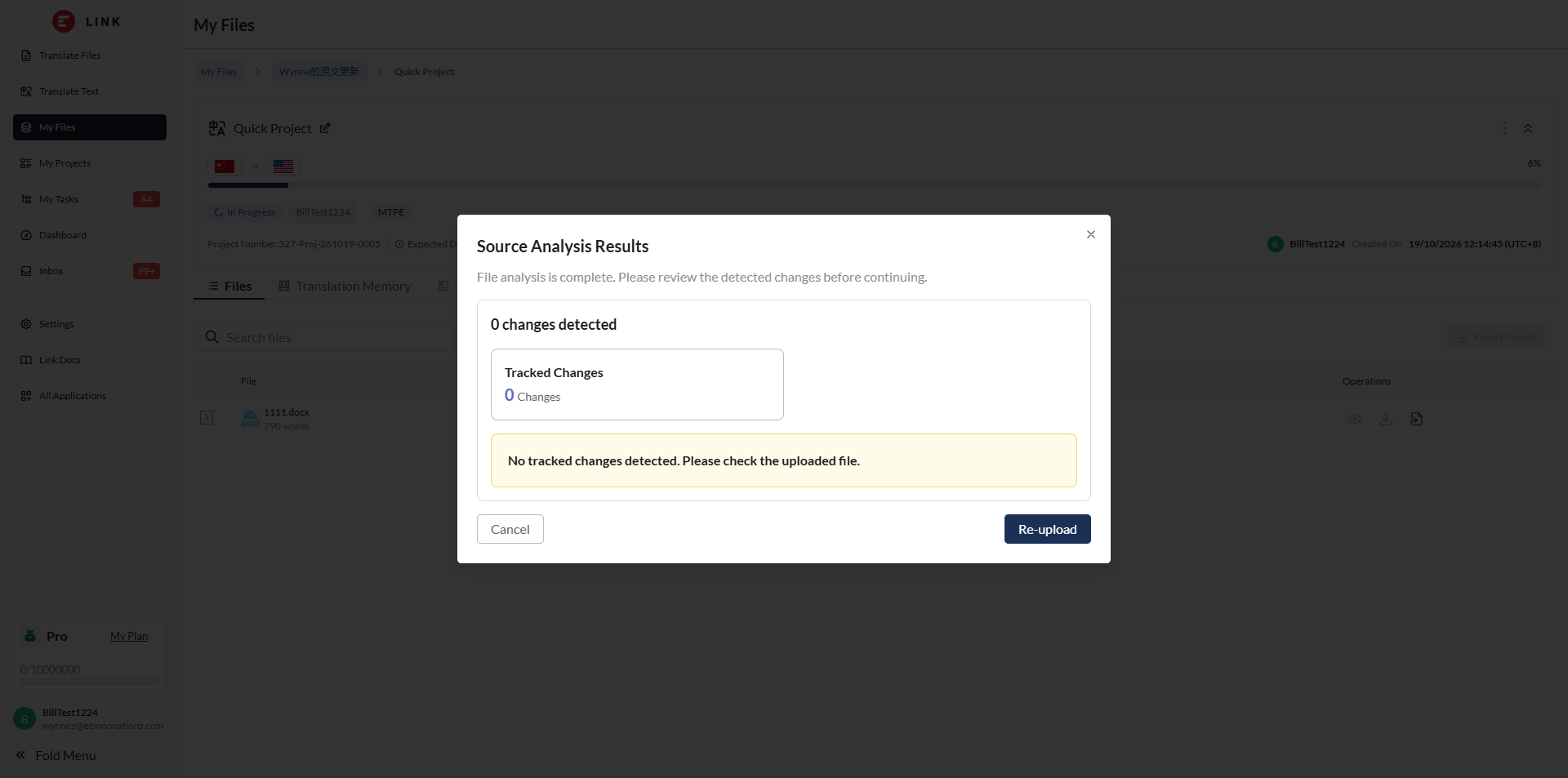
- After upload, the dialog shows the analysis progress. You can upload another file while analysis is in progress. At 100%, the results show the number of changes with tracked revisions and changes without tracked revisions.
- If there are no tracked revisions, you are prompted to upload another file. This is the only available action.
- If both tracked and untracked changes are found, you can confirm and continue, upload another file, or download a supplemented revision document to review the untracked changes.
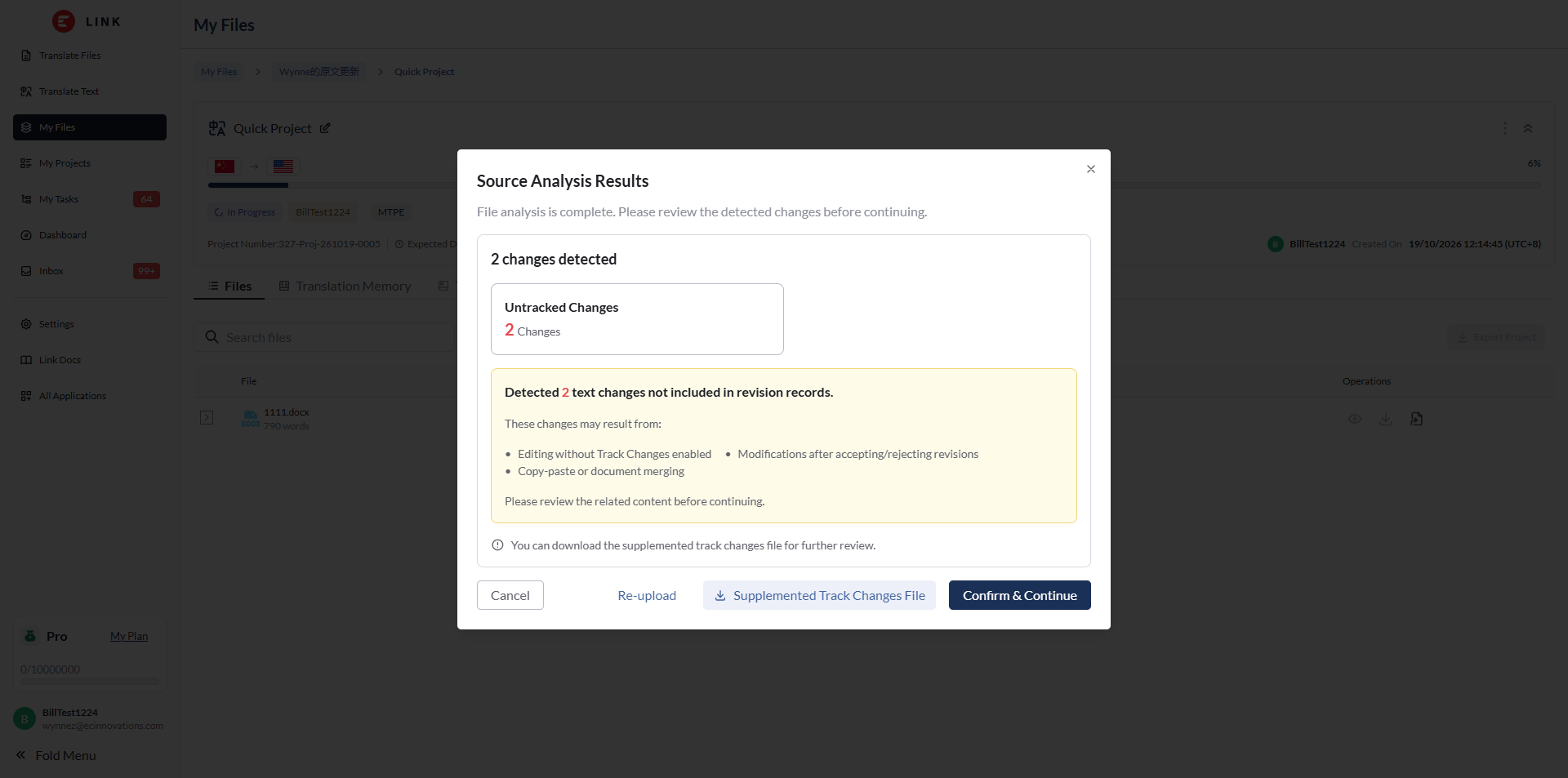
- If there are no tracked revisions, you are prompted to upload another file. This is the only available action.
- Based on the results, the Requester can:
- Confirm and continue;
- Download the supplemented revision document;
- Upload another file; or
- Cancel the current source update.
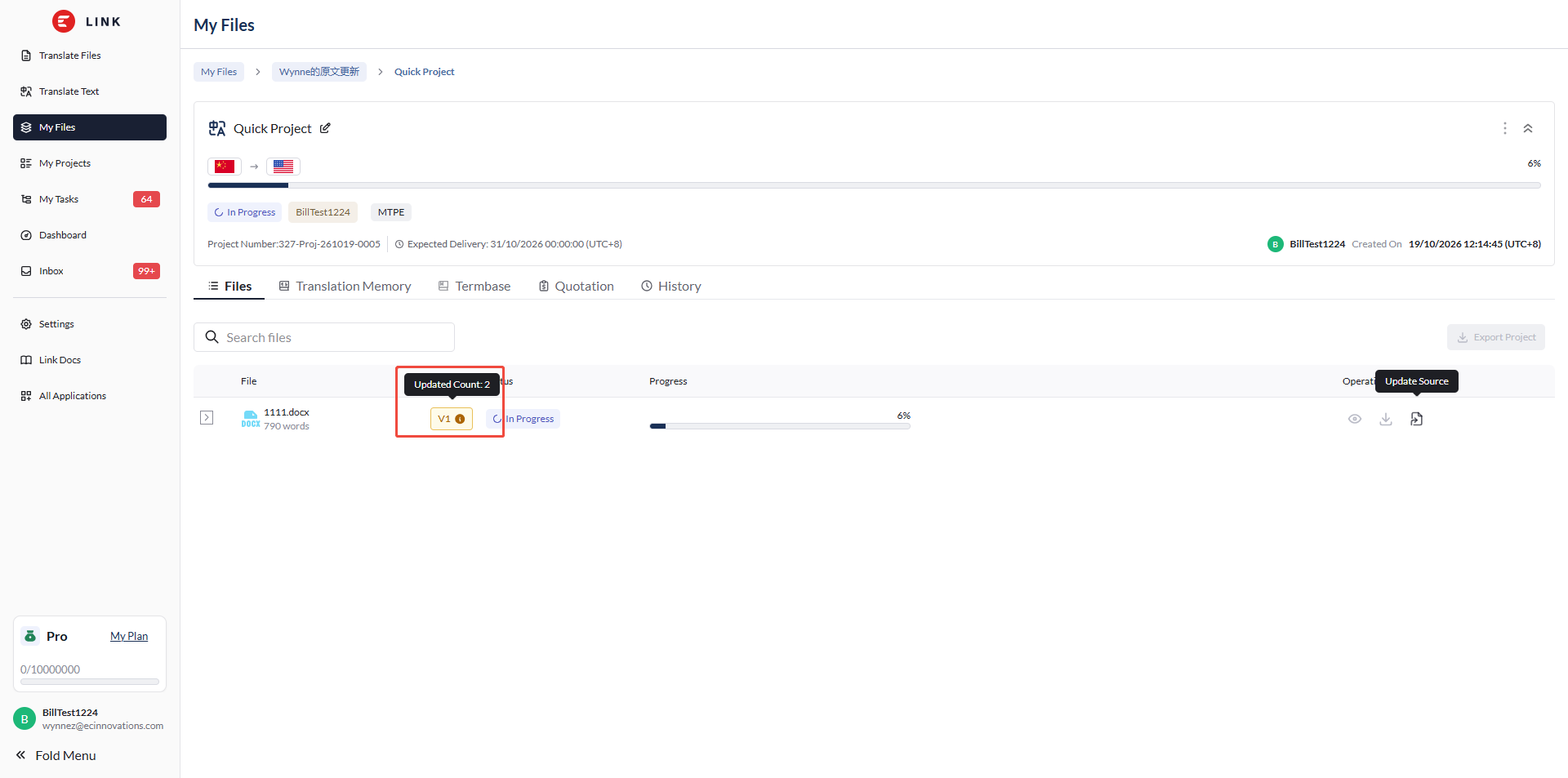
- After the Requester confirms the update, a version label appears. Hover over it to see the number of updates.
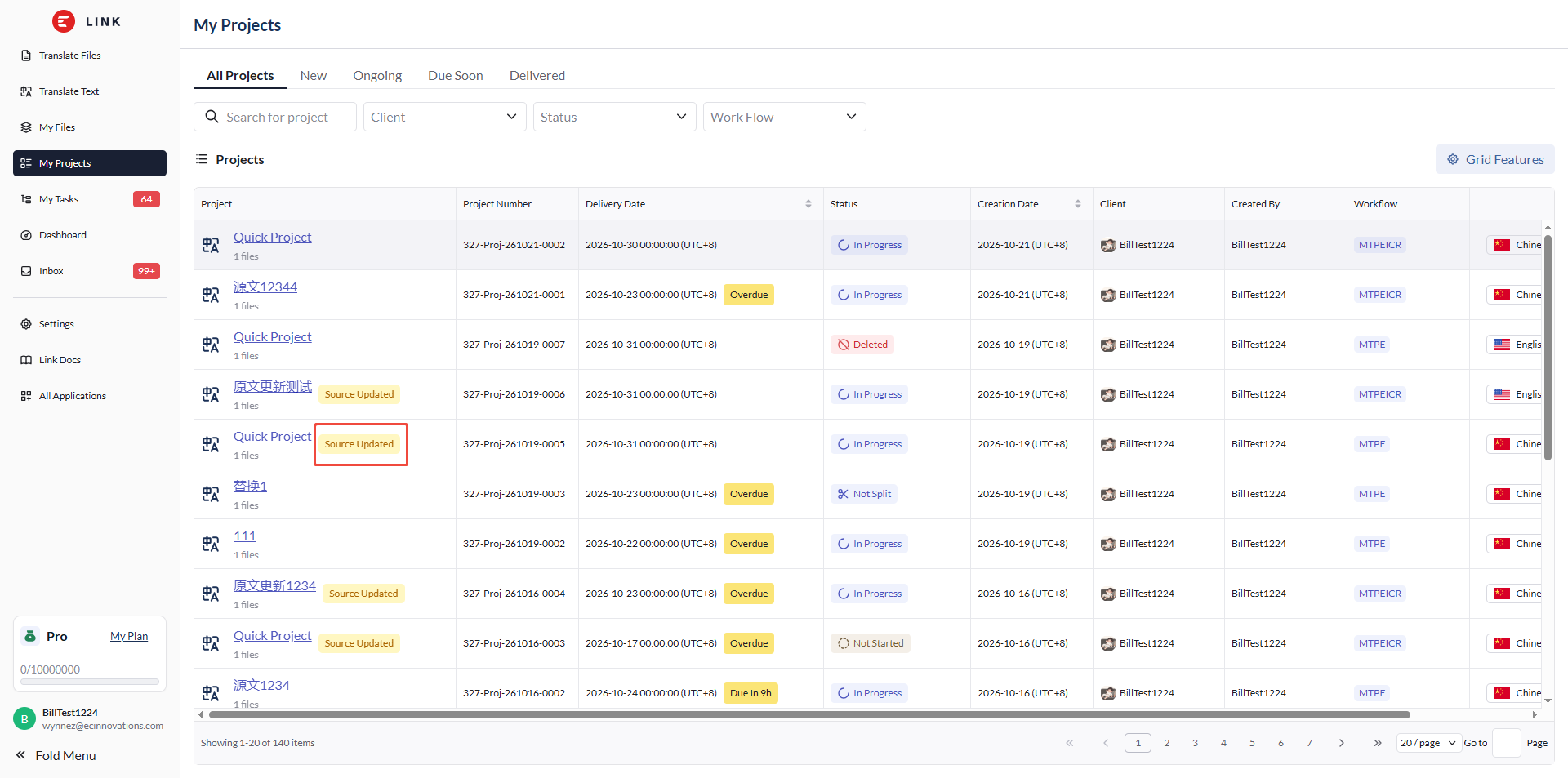
- Projects containing an updated source file display a status label in the My Projects list.
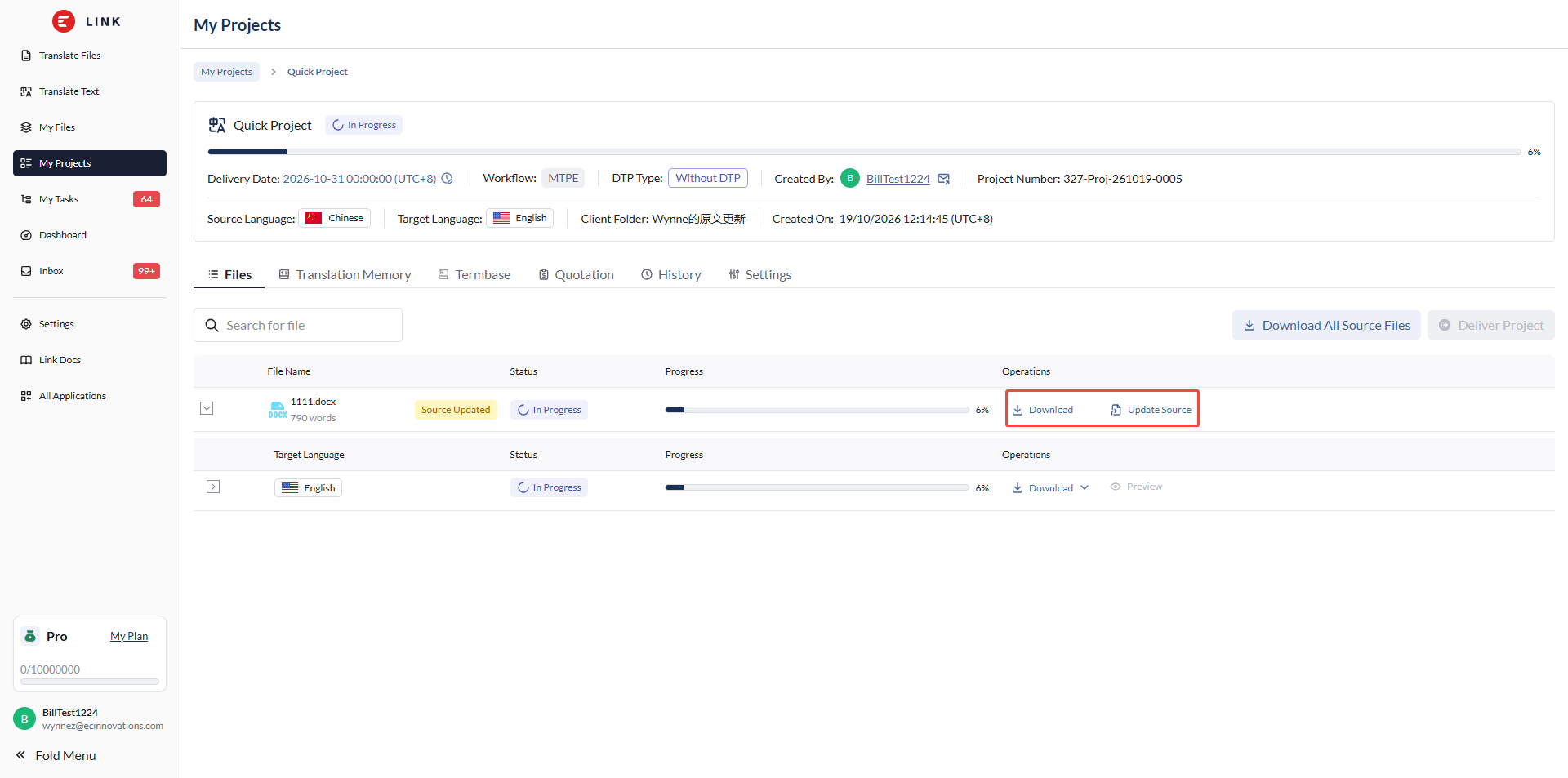
- The PM clicks Download to review the latest source file. Once the information is confirmed, the PM clicks Update Source to start the update.
- The source update changes task statuses:
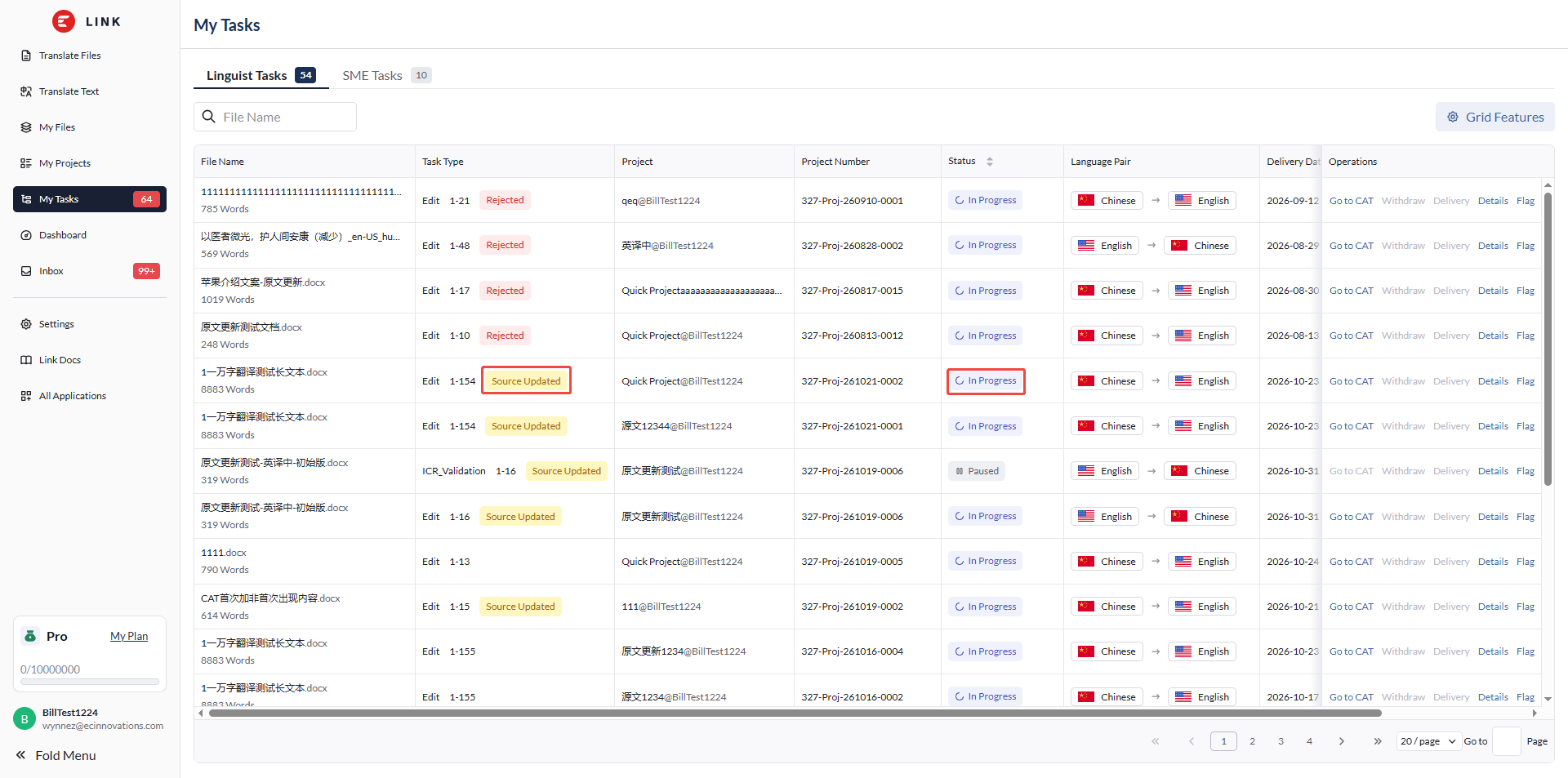
- In Linguist Tasks, the task becomes In Progress. The file name in Task Type is updated, and a Source Updated label appears until delivery. The linguist should review and translate the latest source text.
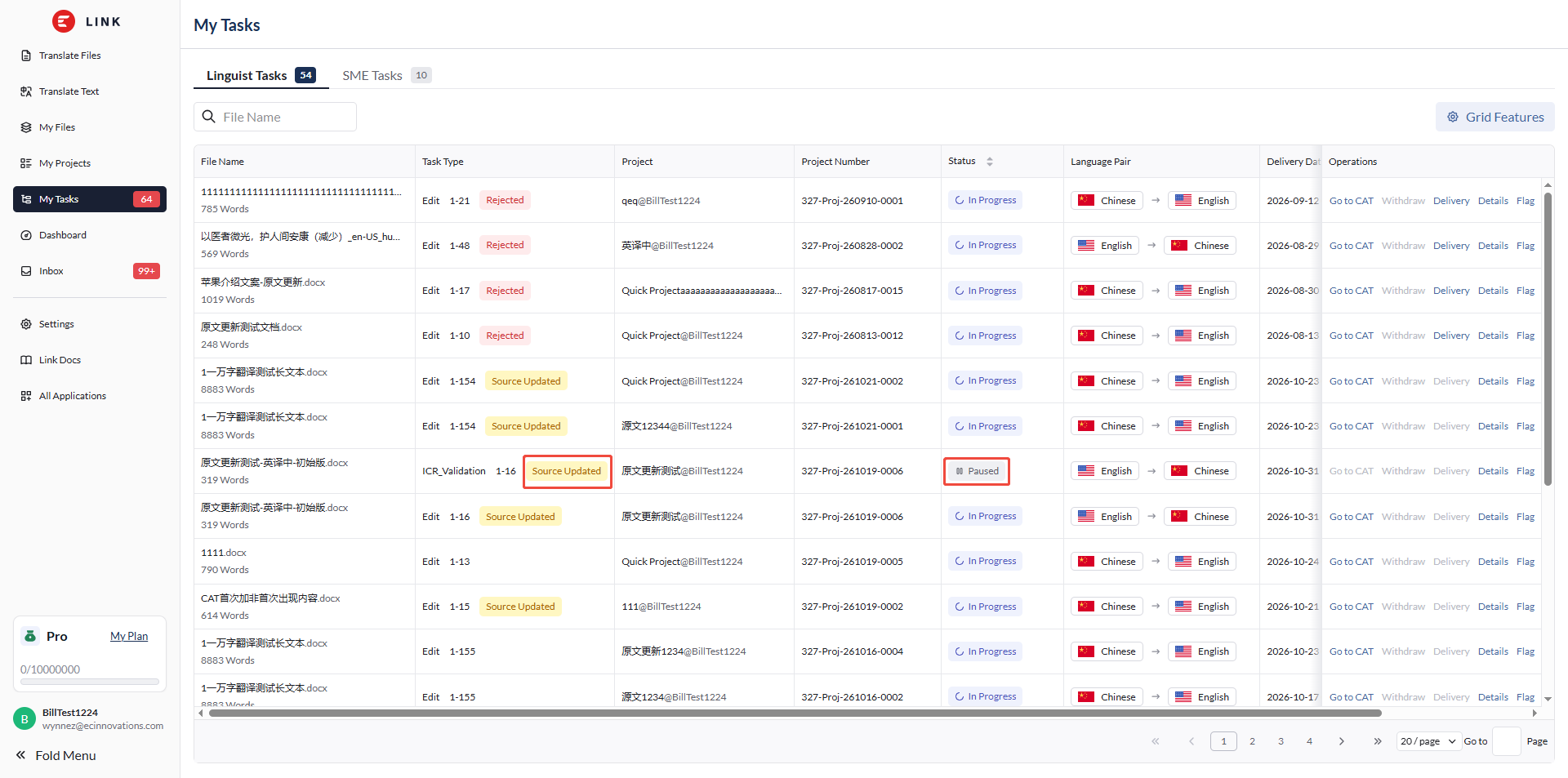
- In SME Tasks, the task becomes Paused.
- In Linguist Tasks, the task becomes In Progress. The file name in Task Type is updated, and a Source Updated label appears until delivery. The linguist should review and translate the latest source text.
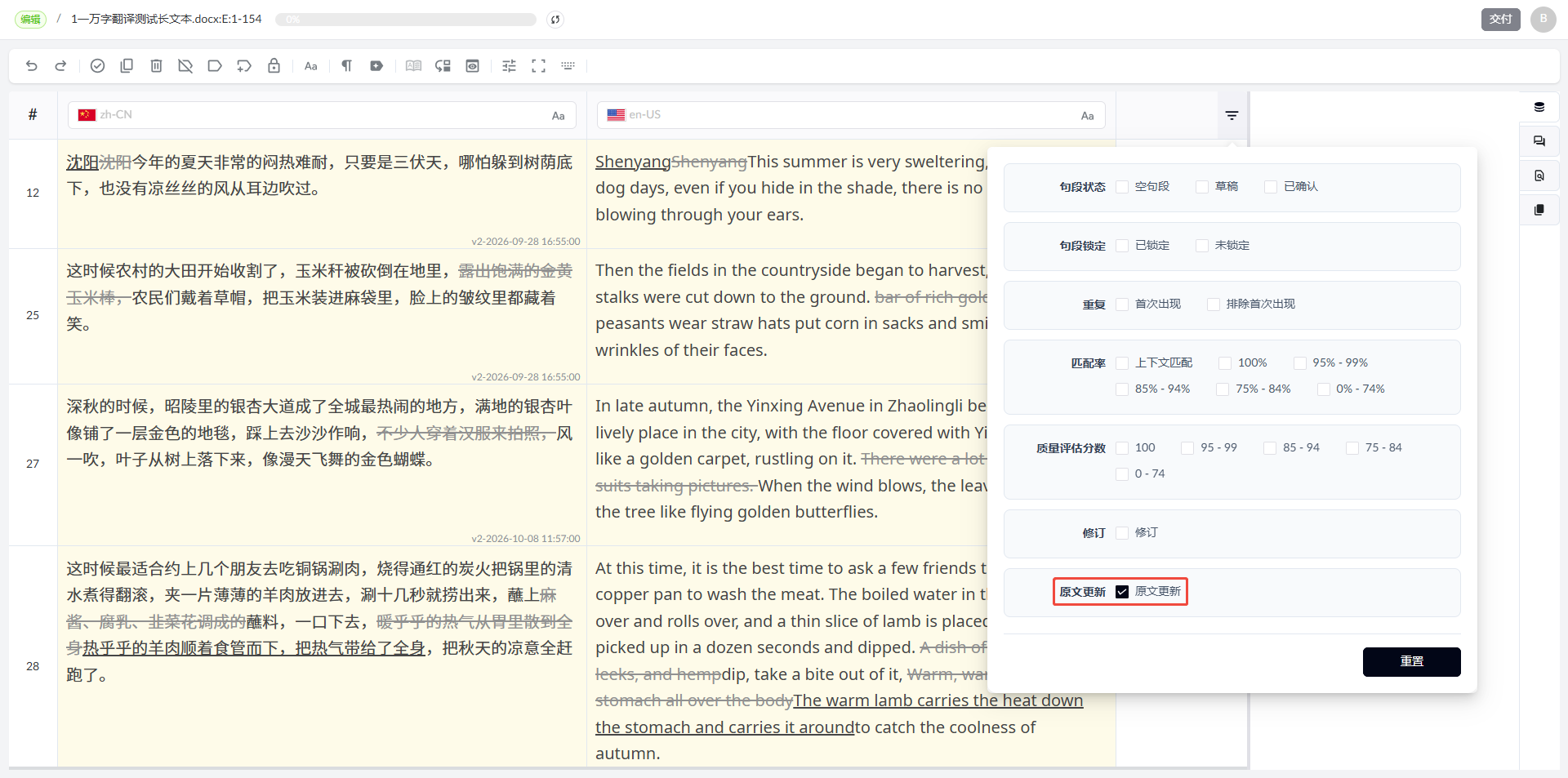
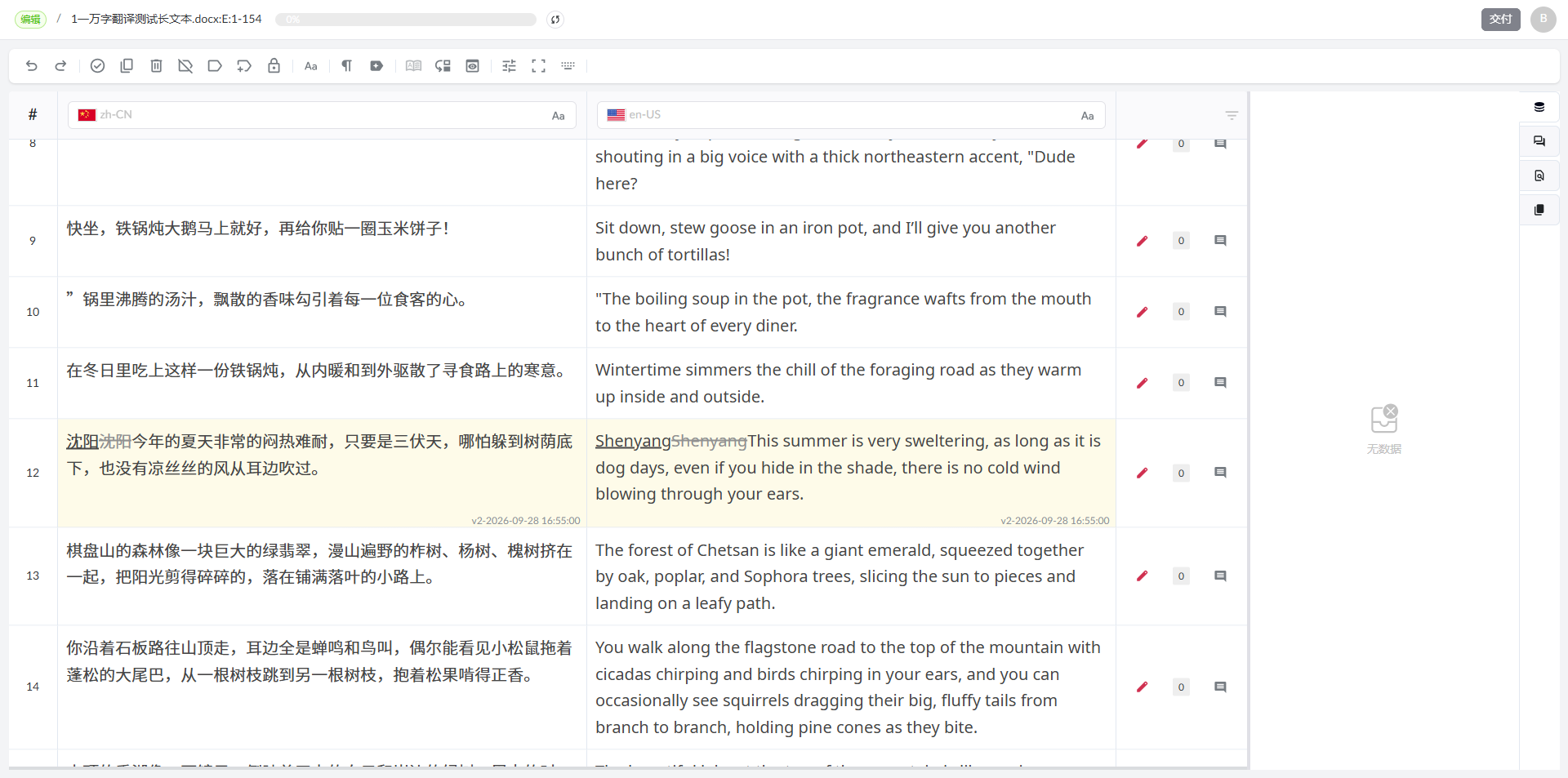
- CAT retains the latest edits, including revised and merged content, synchronizes the source revisions, and updates segment statuses:
- Added text is underlined and keeps the normal text color.
- Deleted text has a strikethrough and appears gray.
- Use the new Source Updated filter in CAT to find segments affected by the source update.